Amazon Punchout Integration for Dynamics 365 Business Central User Guide
Punchout Requests
Browsing Items
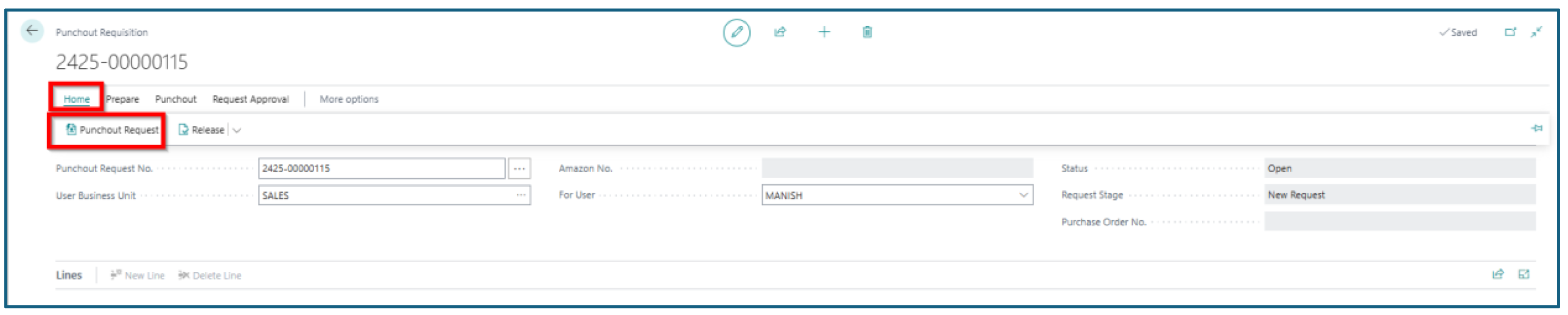
User can browse the items using the Punchout Request from the Home Menu. This opens the Amazon Business page, where users can select the item, add them in the cart and then place the orders.
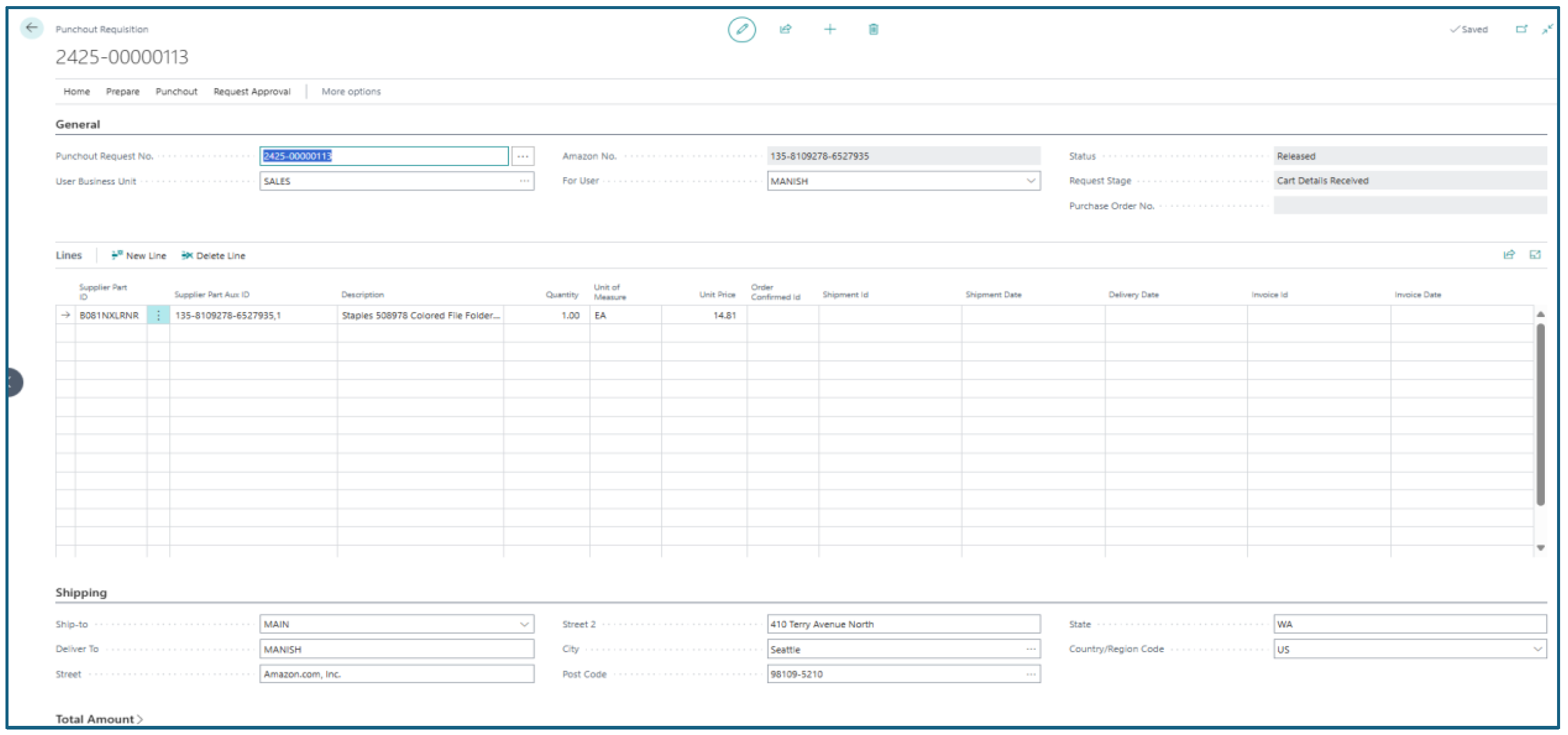
Once the order is placed, Amazon will send back the cart details into Business Central against the Punchout Request No., where the user can verify and send the document for approval.
Here are the Cart details received back into Business Central.
Next step is to release the punchout document. Once the document is released, system will create Business Central Purchase Order and send the order details to Amazon.
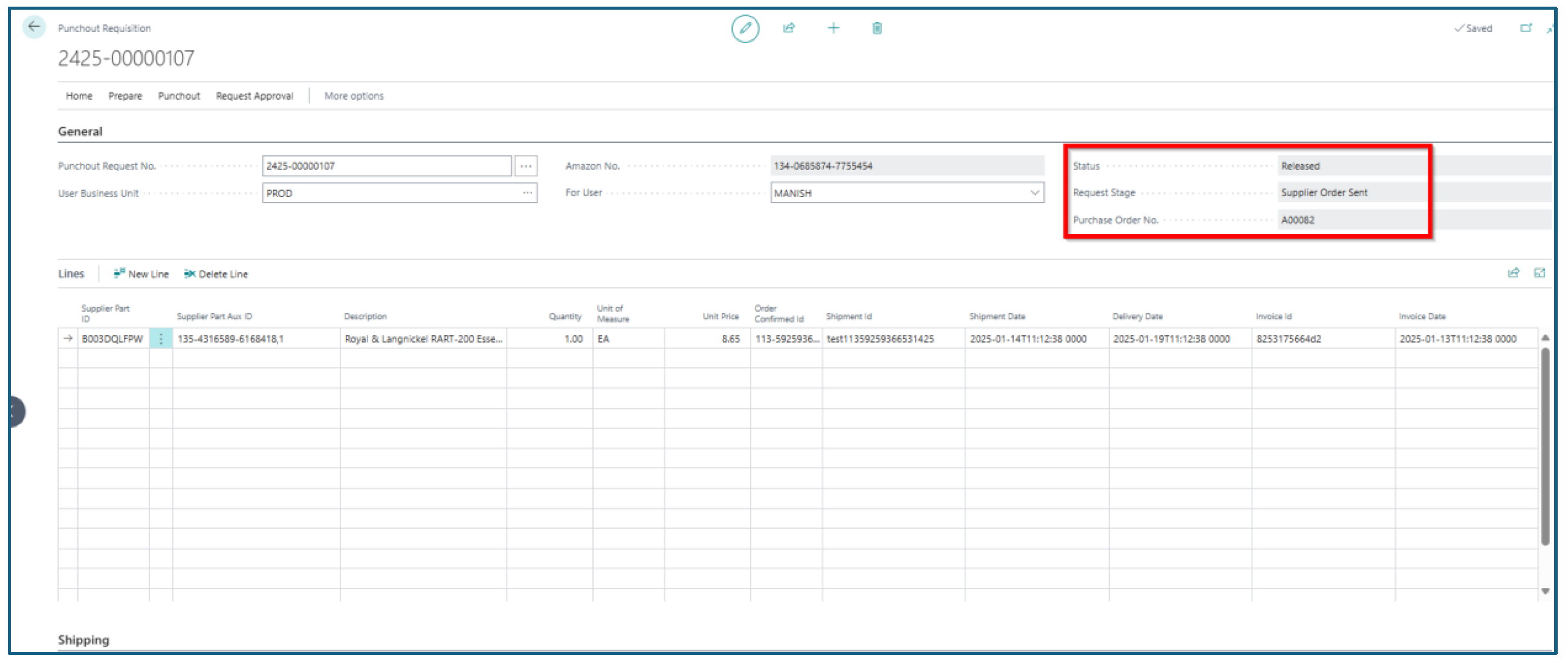
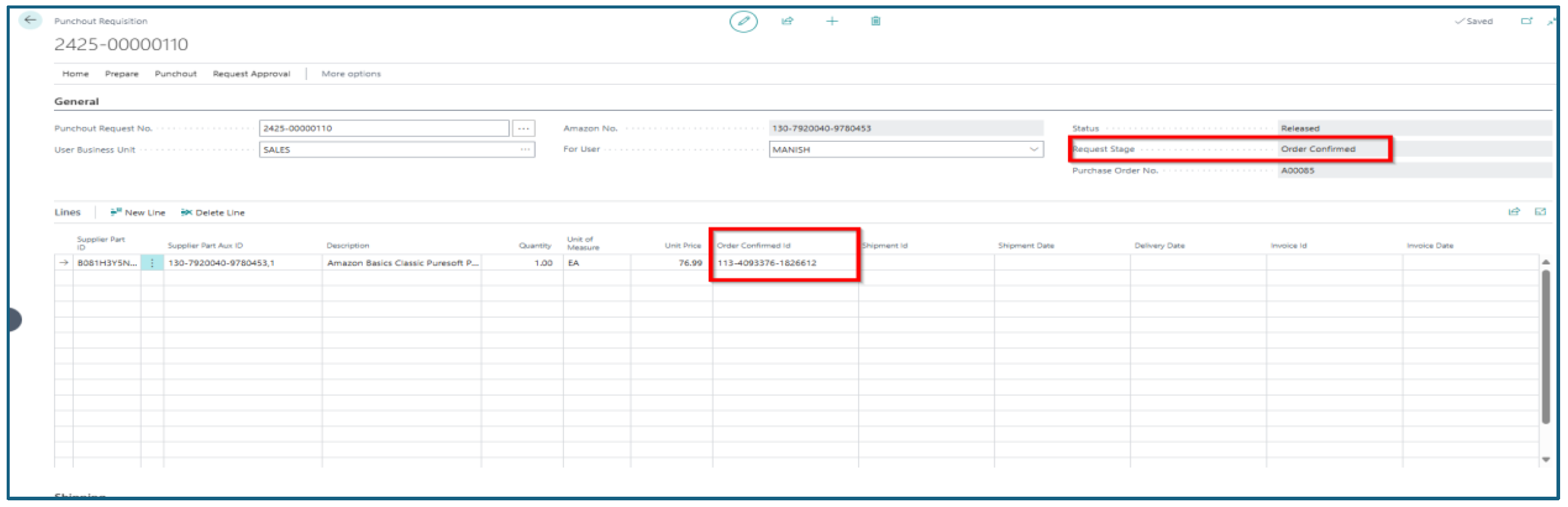
Once the purchase order is sent, Amazon will send in the confirmation against the punchout. Once the order is confirmed, the request stage changes to Order Confirmed and Order Confirmation ID is recorded in Business Central against the punchout.
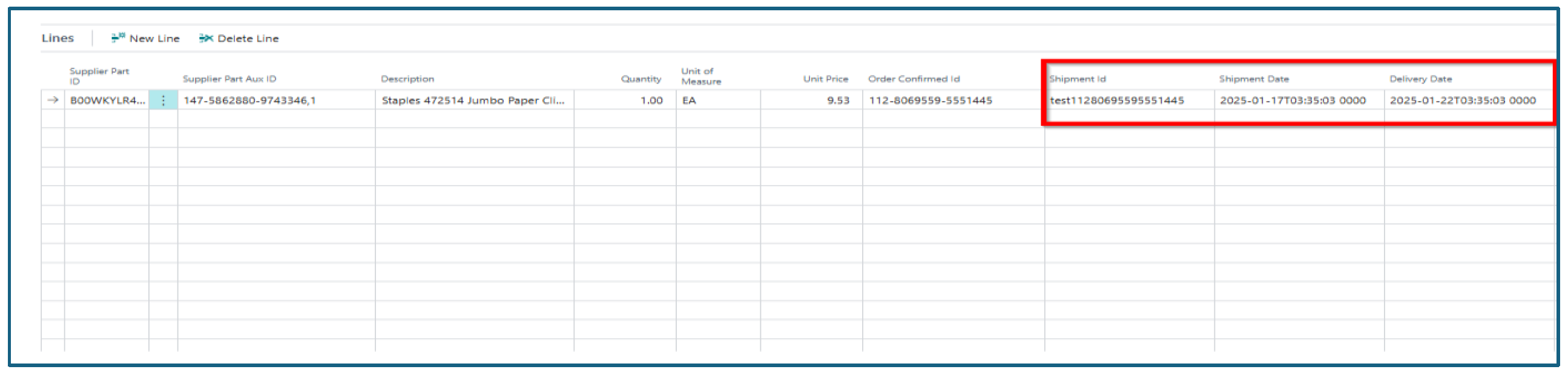
Amazon will then ship the order and send the shipping and deliver date back to Business Central, which is recorded in the lines accordingly.
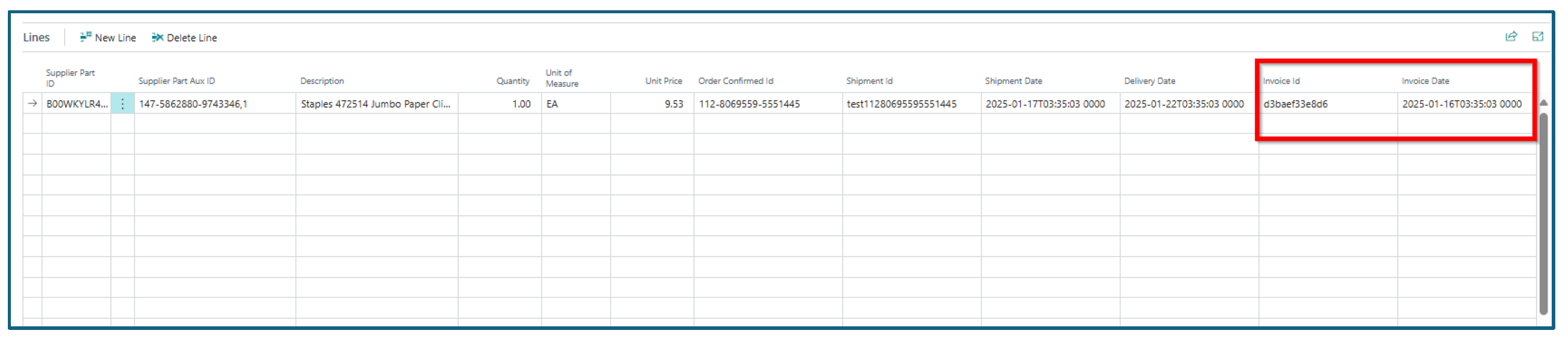
Once the order has been shipped, Amazon sends the Invoice ID and Invoice Date against the punchout back to Business Central, which is recorded in the lines accordingly.
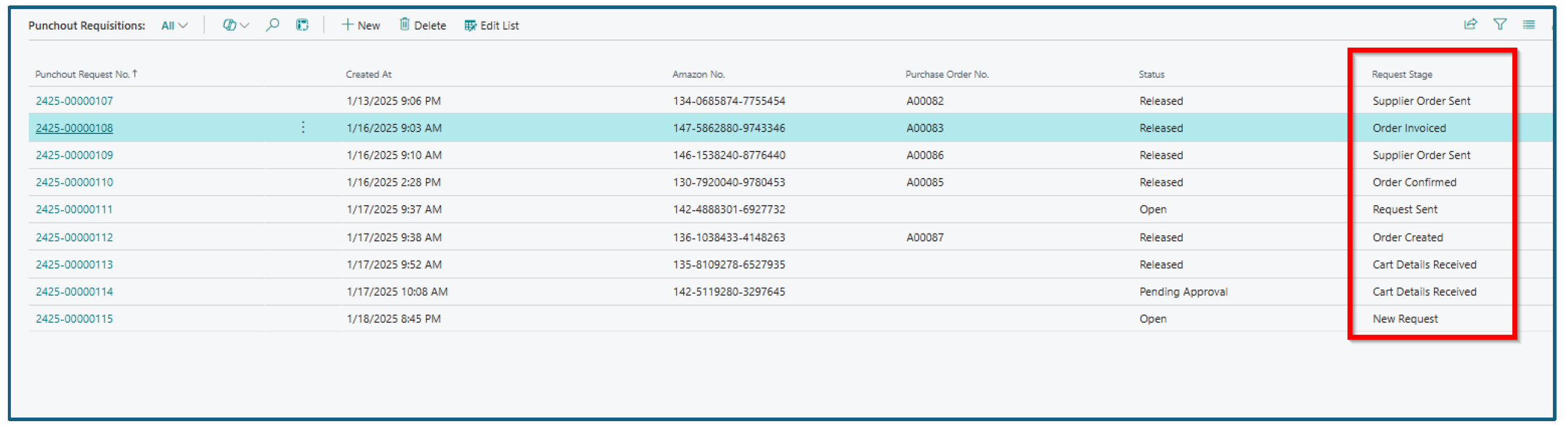
Users can track the request from the punchout document itself.
New Punchout Request Using Approvals
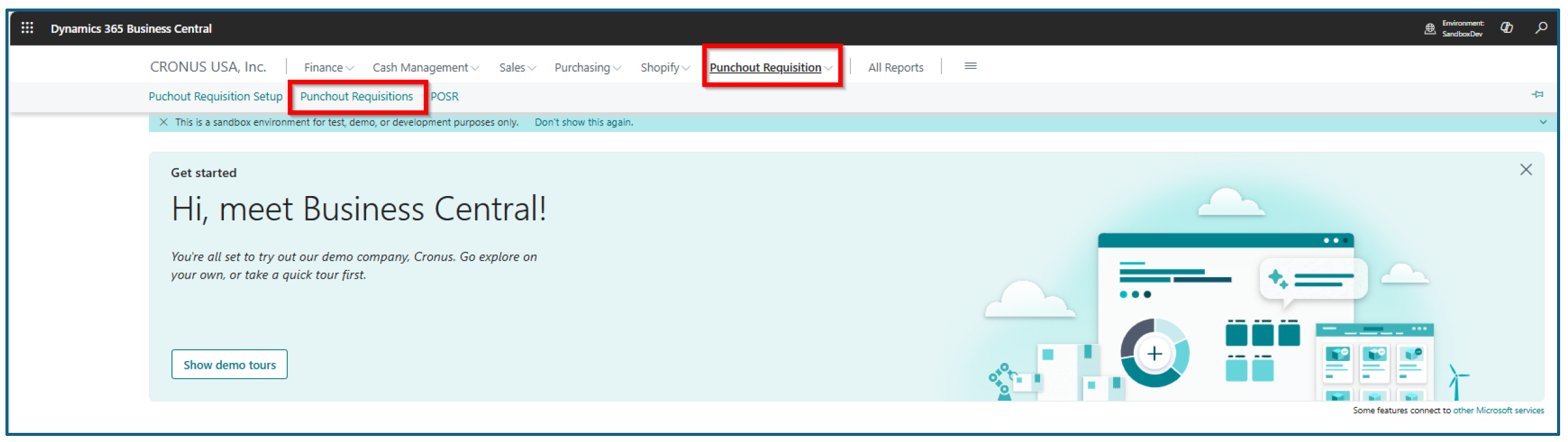
To create a new punchout request navigate to Punchout Requisition /> Punchout Requisitions.
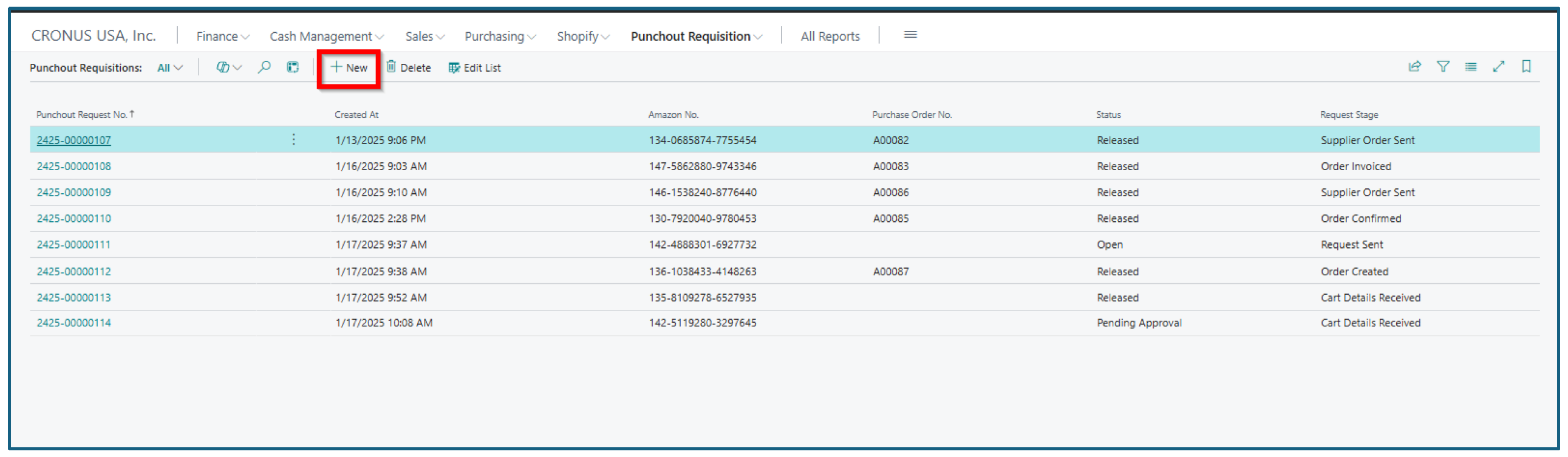
Click on +New from the punchout list.
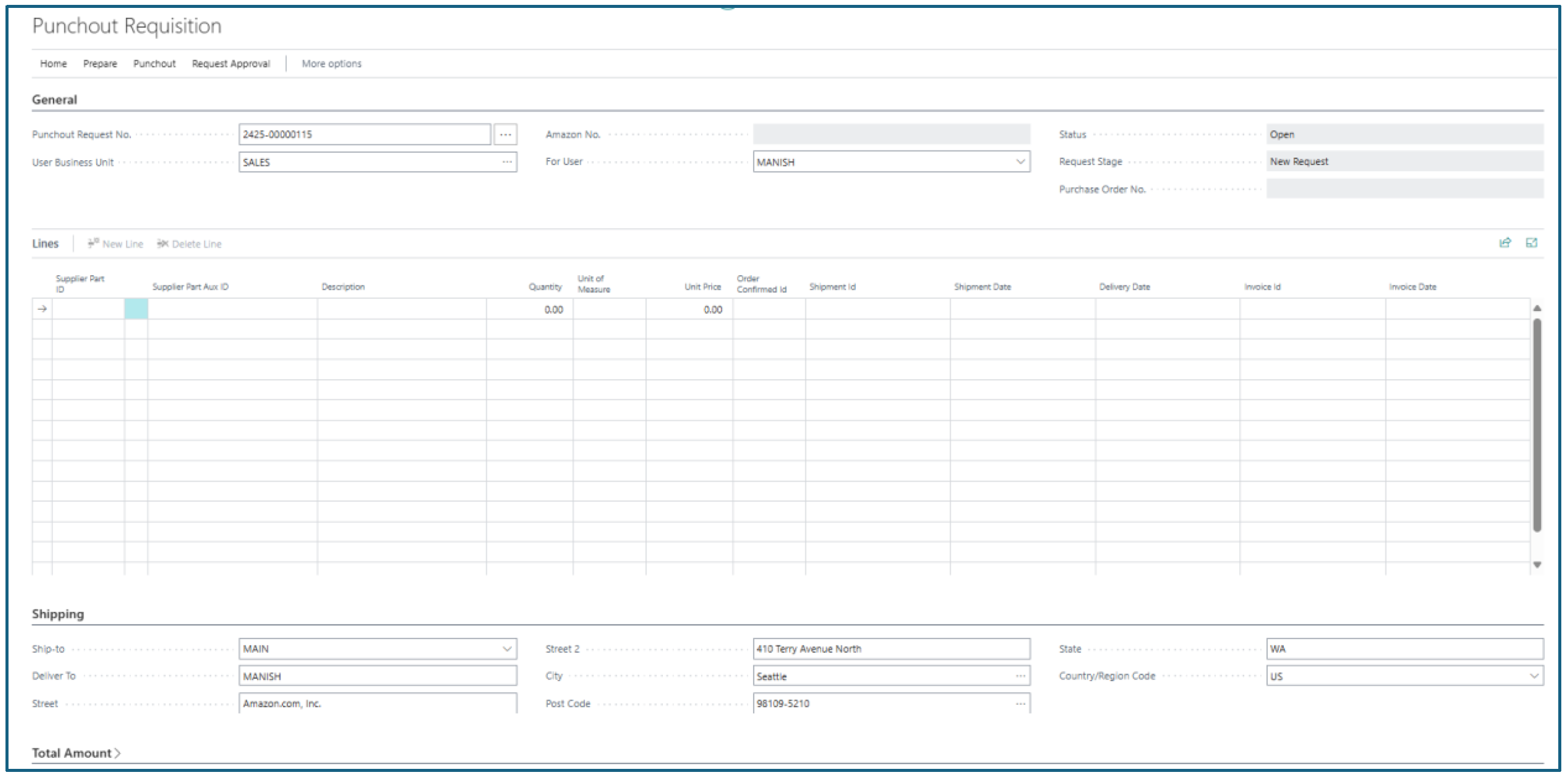
You can select the Punchout Request No. or press enter to generate new punchout request. System will pull the default values as per the setup.
New Punchout Request Without Approvals
If the business decides not to use the approval flow, then the user will have to manually release the document by performing the actions to create Business Central order and send the order back to Amazon.
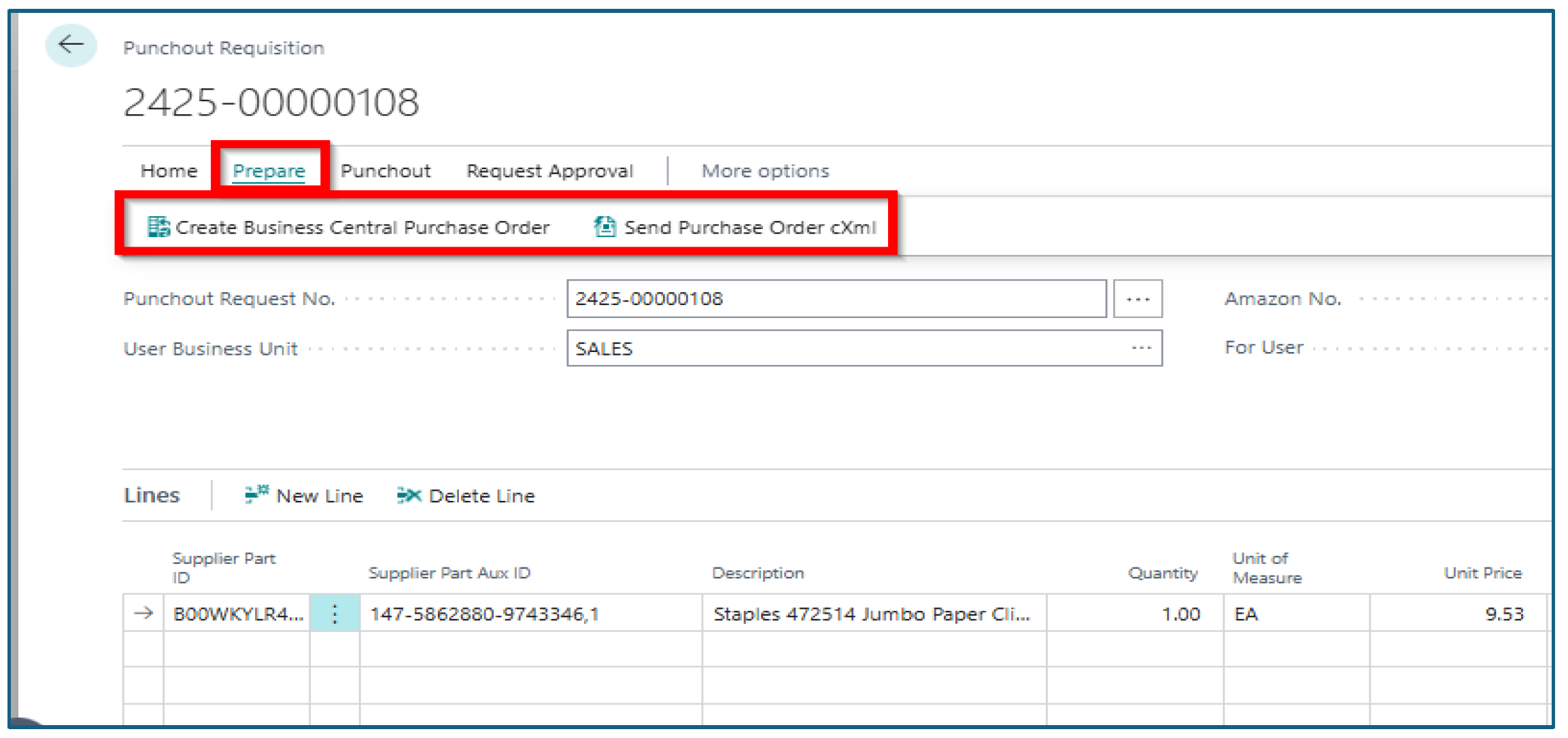
Once the order has been manually released, navigate to Prepare action on the punchout document.
You can create Business Central Purchase Order. Once order has been created, you can use the Send Purchase Order cXML to push the order to Amazon.