Install Solution
Import Solution
To import the solution in a new environment, first we will have to export extractor’s main solution Email Attachments to SharePoint.
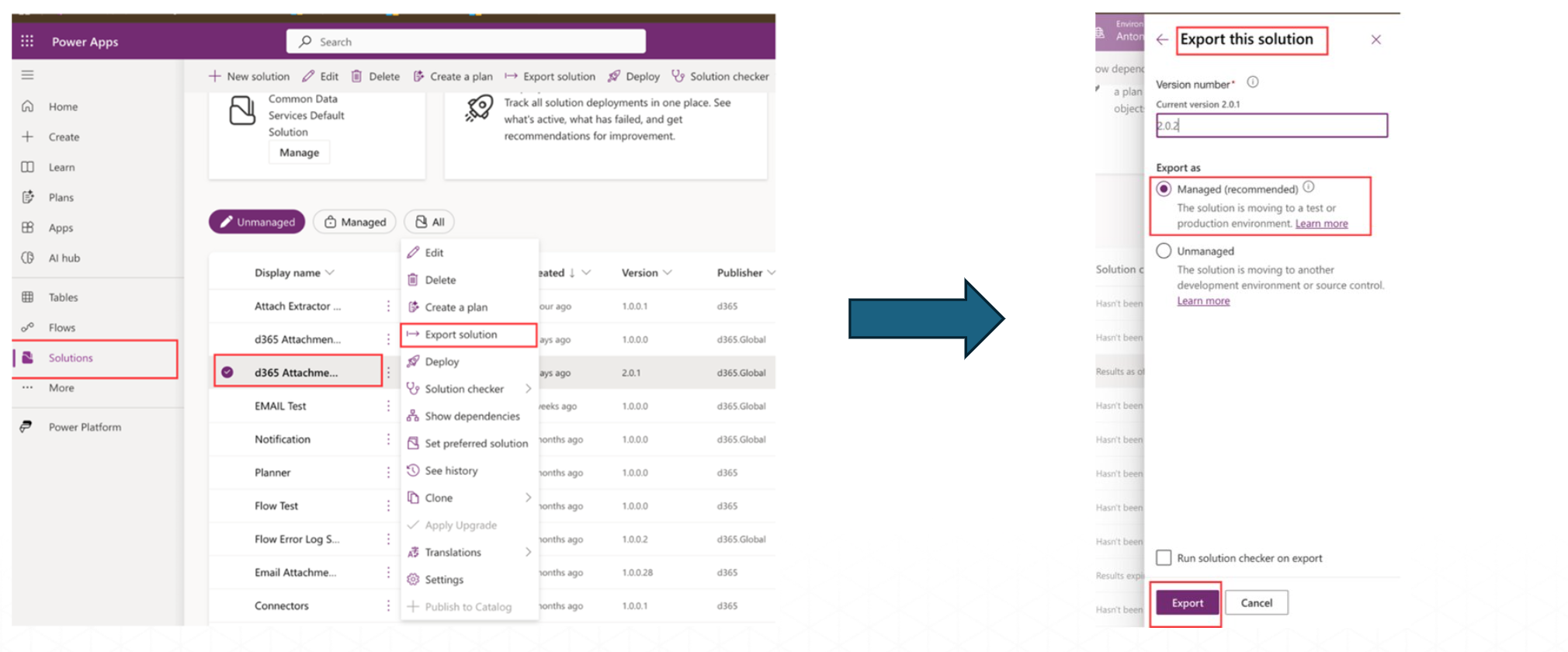
Steps to Import Solution
Follow these steps:
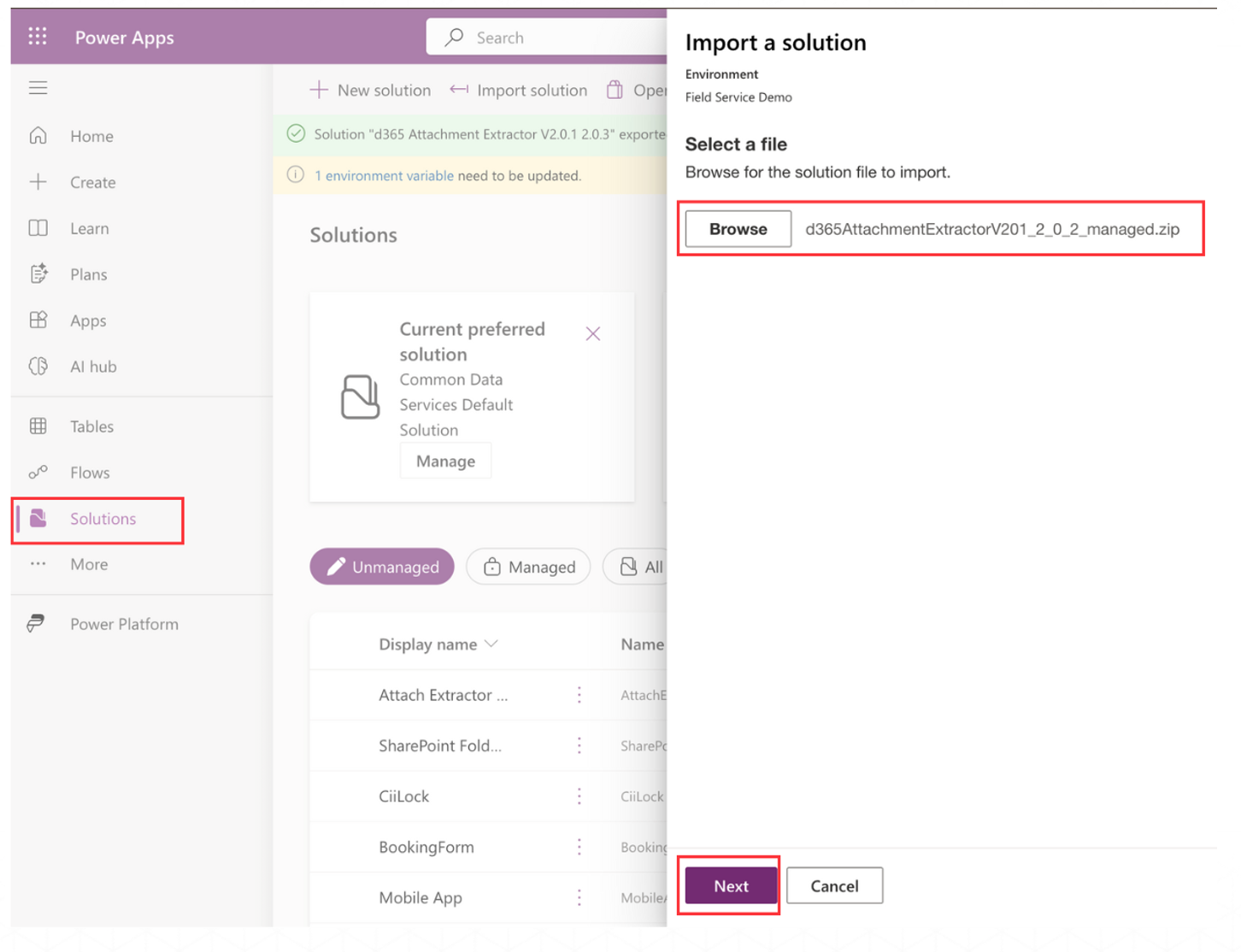
- Select Solutions Page in your Environment.
- Click on Import Solution.
- Select the solution file to import. Click the Browse button to locate the solution file on your computer.
- Click on the Next button and follow the prompts to complete the import process.
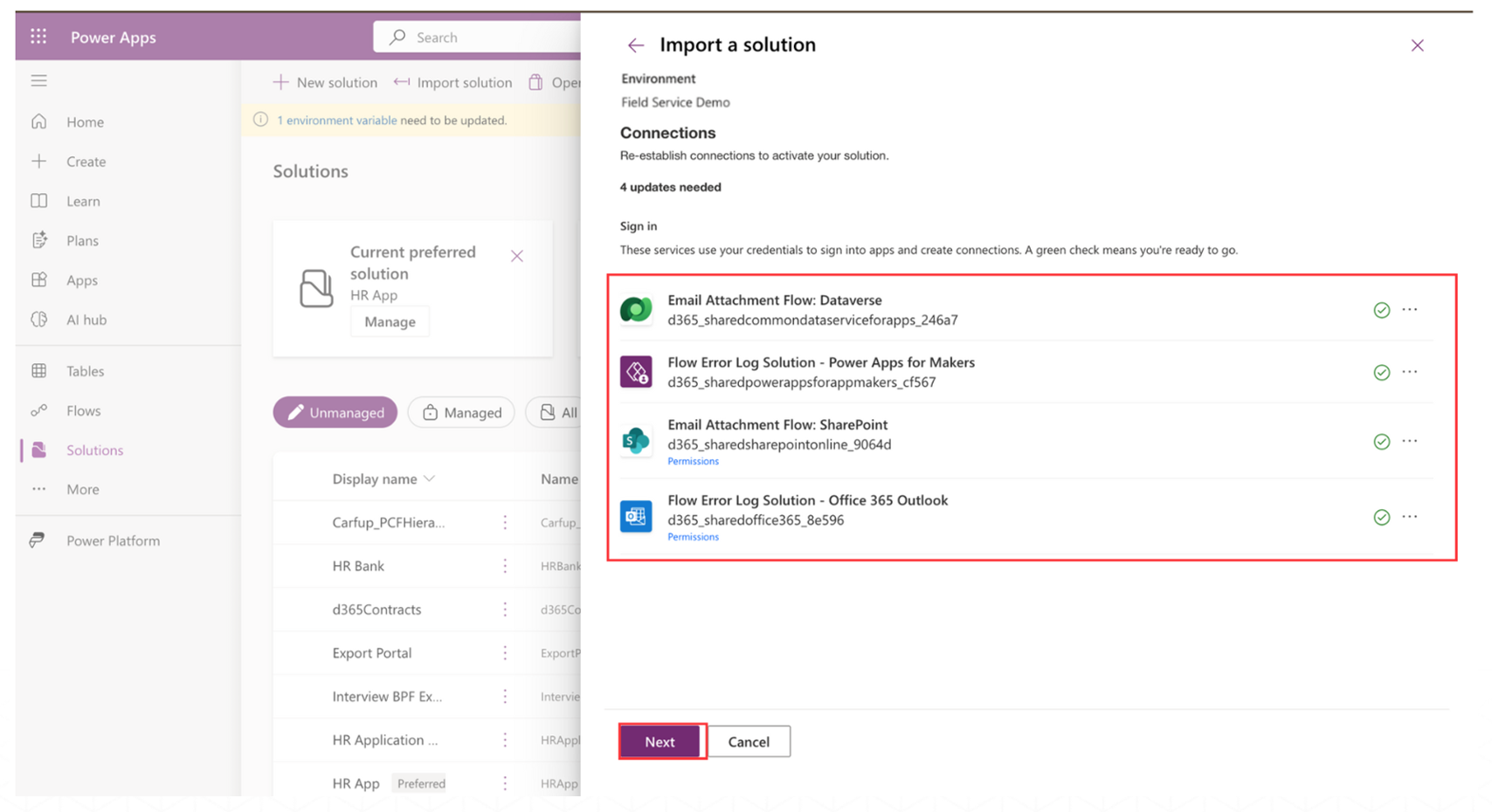
- Sign in to the services using your credentials.
- Click on the Next button to proceed.
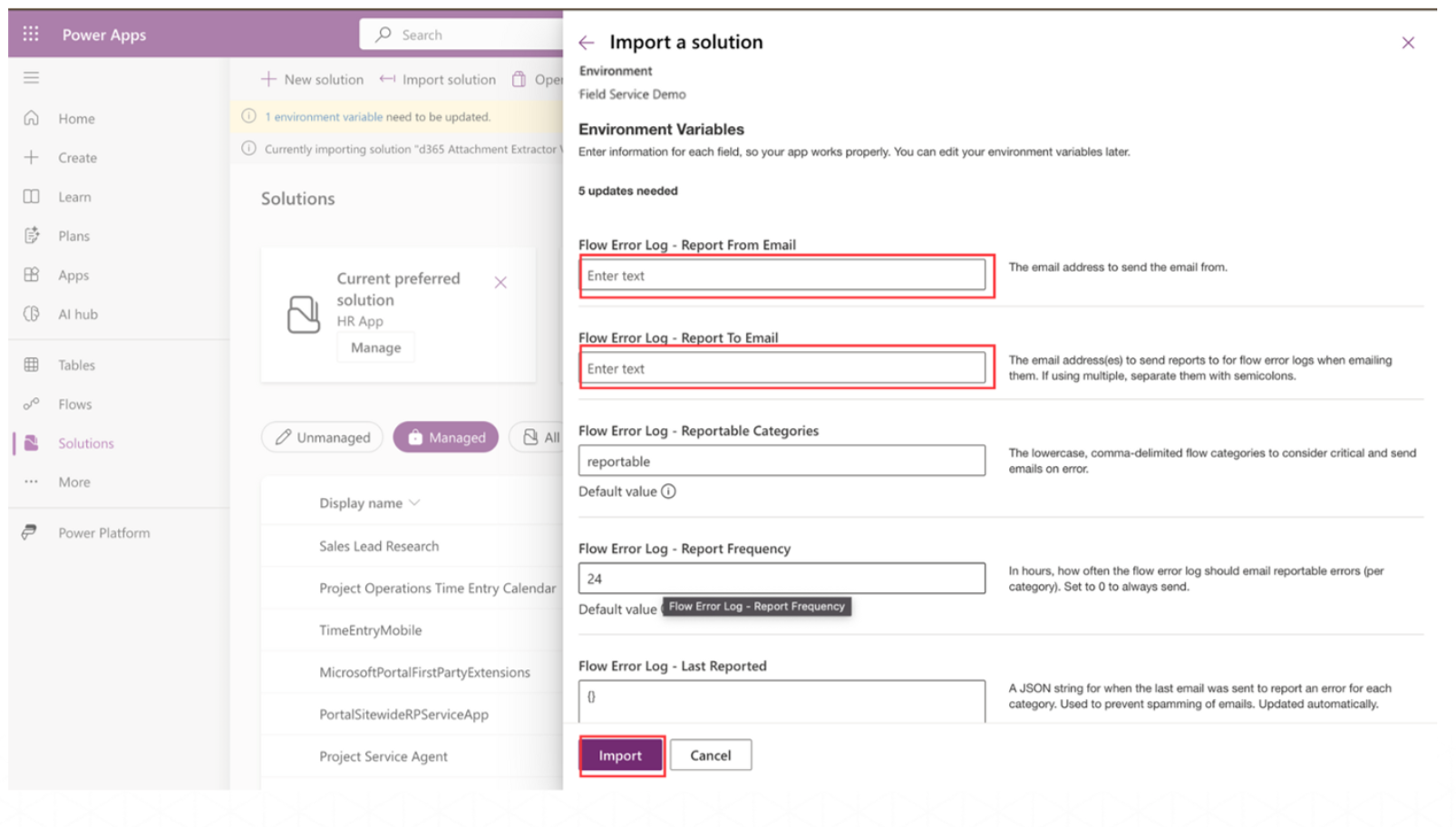
- Make sure to enter your admin email to receive flow error.
- Click on Import and wait for success notification on screen.
Last updated on