Create Email/Note Records
Follow these steps to create email and note records with attachments using the Attachment Extractor solution.
Creating Email/Note Records
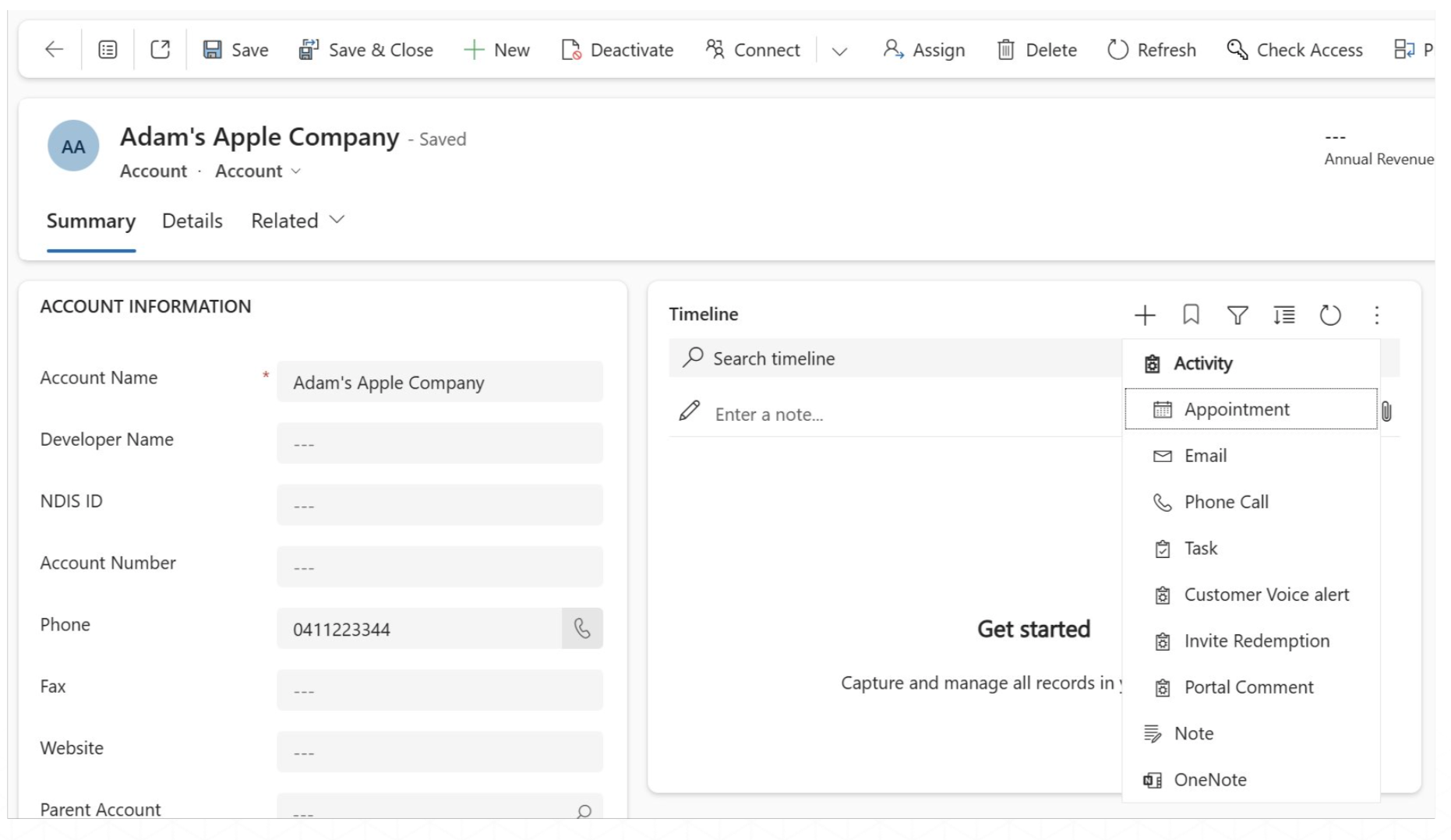
- In the record’s Timeline, click on ‘+’ to add a new email or note with attachment(s).
- The Timeline displays all the email and note attachments for the record.
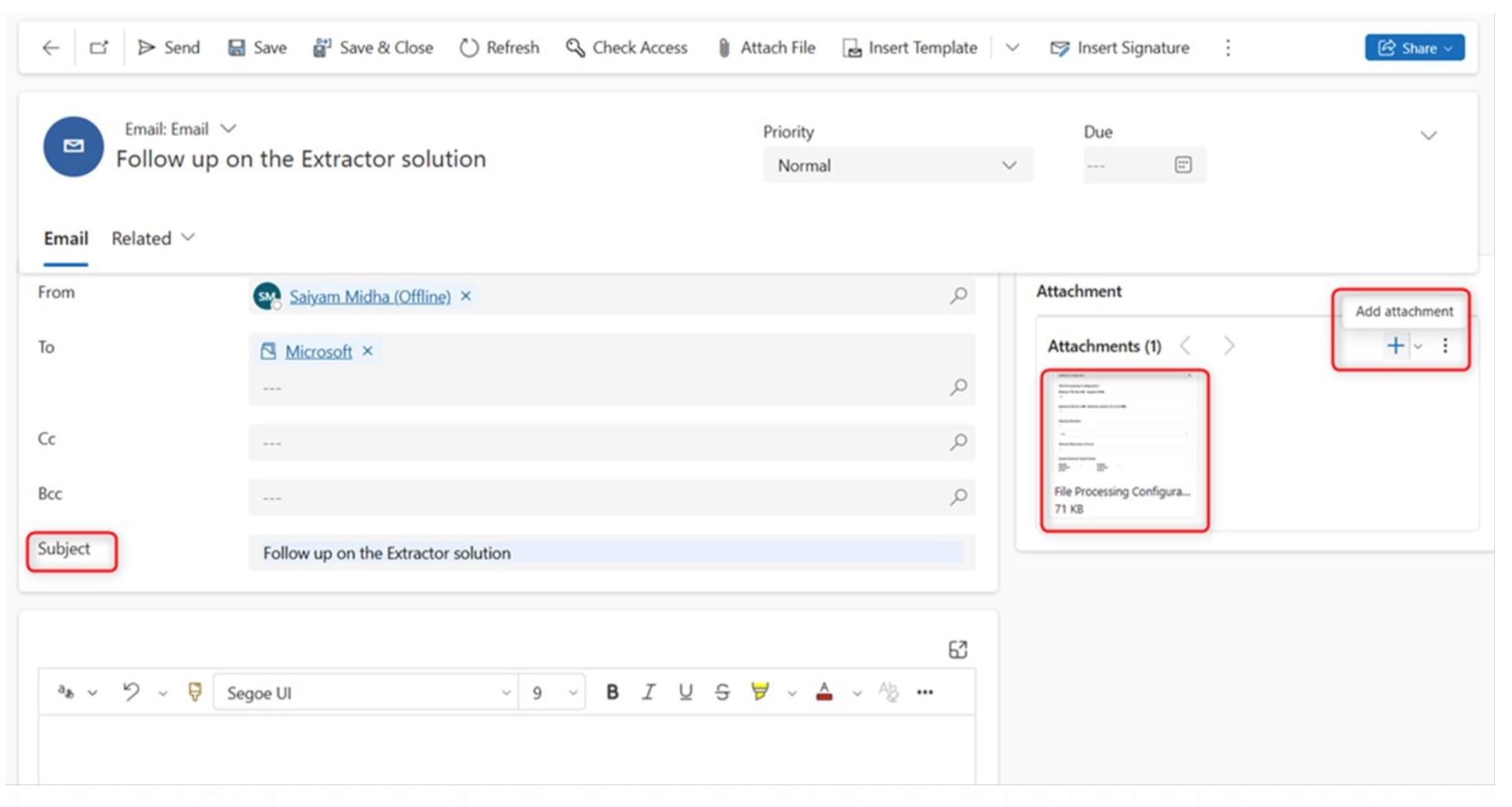
- Enter the email subject and body details and proceed to add attachments.
- You will notice, the original size of the attachments are visible on the thumbnail.
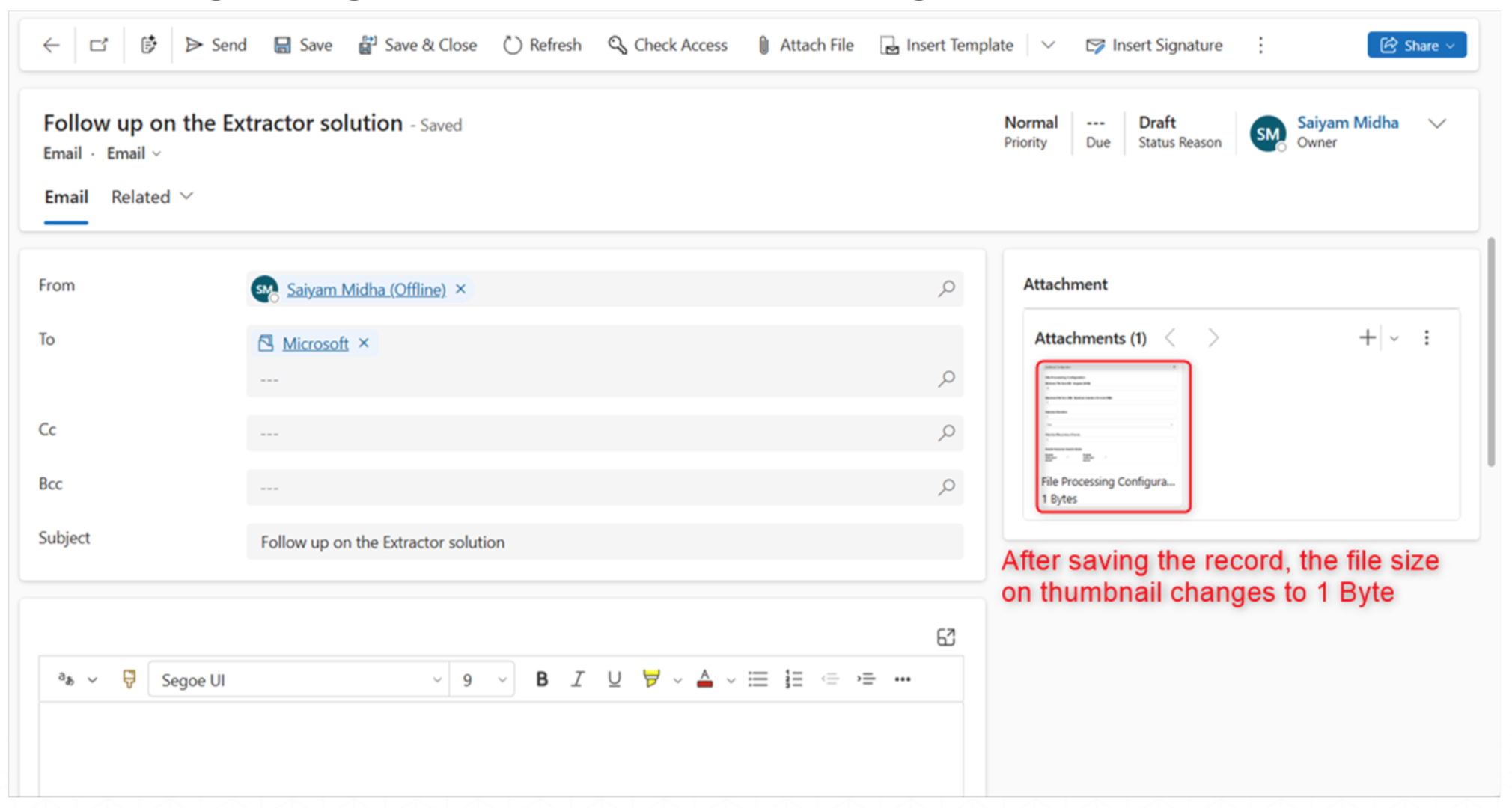
After saving the record, the Attachment Extractor app stores the attachment record in Dataverse with size of 1 Byte, however huge the original document size is in the storage site.
Last updated on