Dashboards
The Attachment Extractor solution comes with two dashboards with logs to help you monitor and manage your attachment extraction processes. These dashboards provide insights into extraction status, error tracking, and overall system performance.
Logs
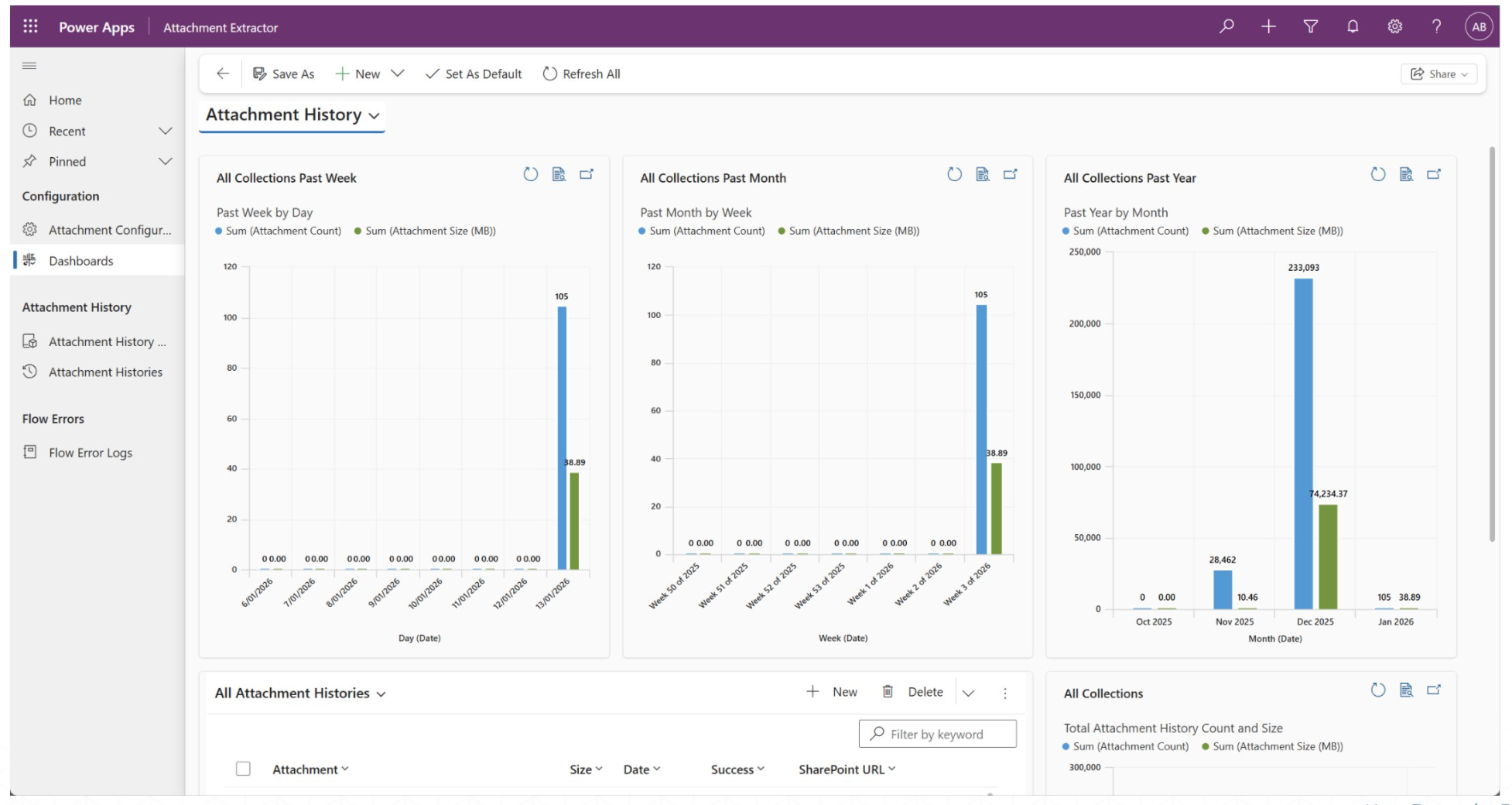
Attachment History Log
Displays Attachment History, including attachments from last week, month & year. The dashboard also shows the size of these attachments in megabytes (MB) for better tracking and analysis.
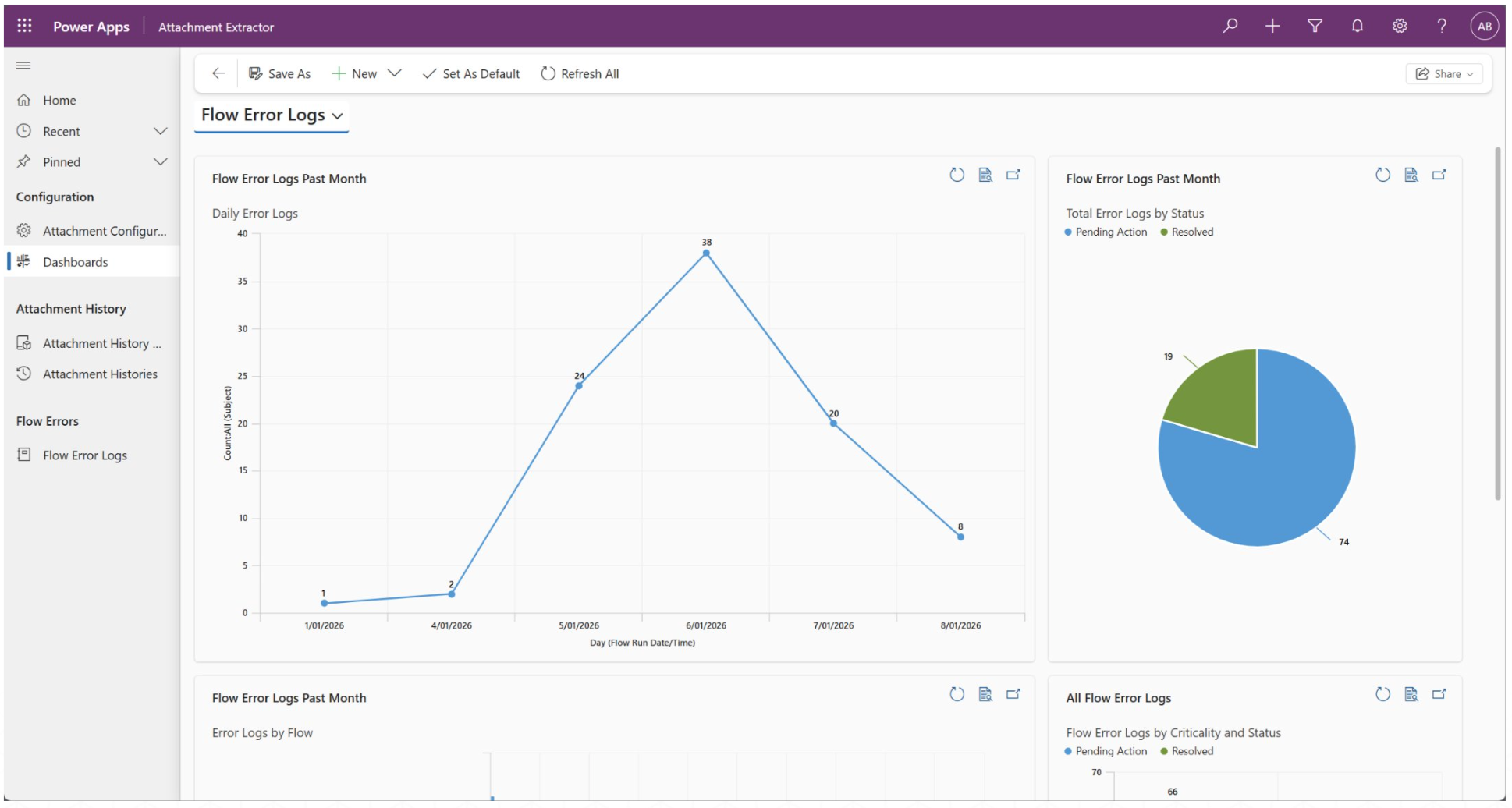
Flow Error Log
Displays Error log based on the flow failure history. Reports include daily error logs & total error logs by status. The logs can be used with existing flows with minimal effort.
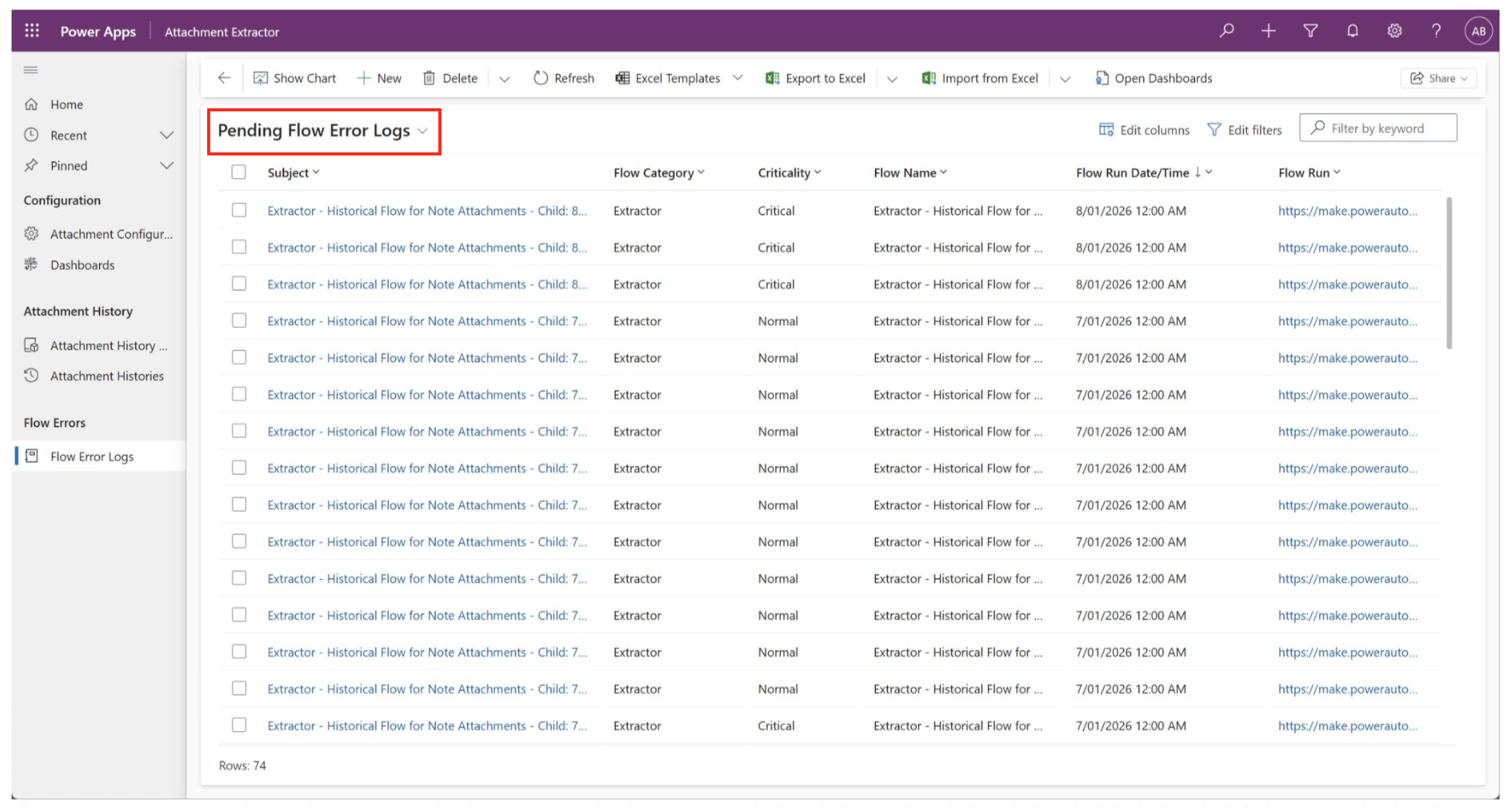
Error Log Entity
The Admin - Log Flow Run Error handles errors and stores them in the Error Log Entity in case the ** Attachment Extractor** app flow fails. The logs show the flow category, flow name and flow run date/time.